Smart Locker Manufacturing: A Cabinet, Pi, Tablet and Lock Integration Checklist
Turning a fabricated cabinet into a smart pickup or rental system means designing the physical and digital parts together. This checklist helps manufacturers and fit-out contractors prepare an integration conversation. It is not a wiring diagram, certification or a guarantee that a particular lock or device is supported.
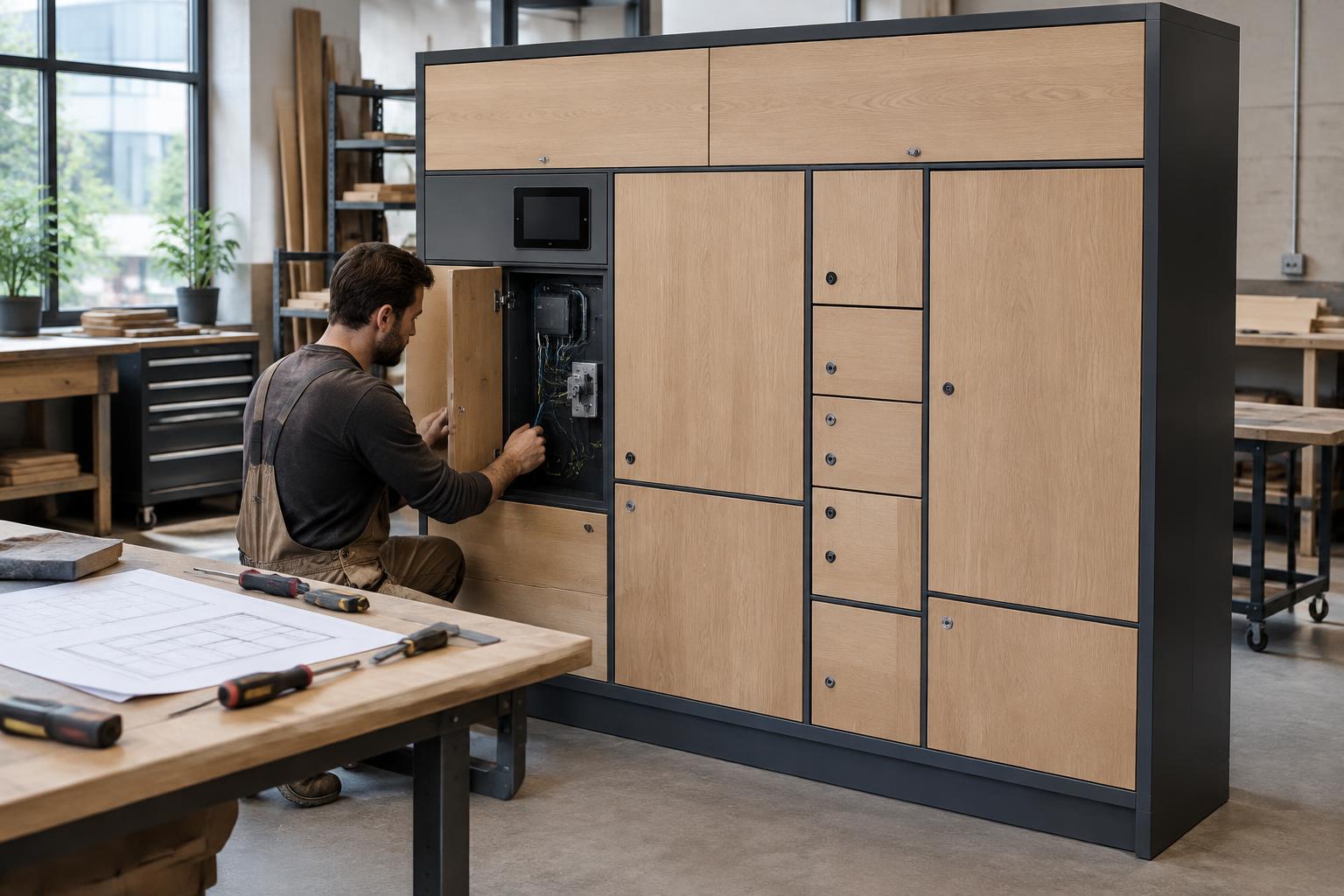
1. Define the service and the operator
Write down the item, user, payer and complete handover. Is the customer collecting a parcel, returning a rental, dropping off shoes for repair or receiving an authorised key? Specify compartment sizes, site access, expected loading and inspection responsibilities.
Identify who operates the site and who handles customer support. A building team, retailer and rental operator have different permission and maintenance requirements. Decide whether customers use a resident interface, a connected app or a kiosk before designing the screen location.
2. Submit cabinet and lock specifications before fabrication
Provide drawings with compartment dimensions, door clearances, hinge direction, material thickness, proposed lock position and service panel location. Include the electronic lock and controller manufacturer/model, protocol documentation, power requirements and door-status sensor details. Do not substitute parts after a compatibility review without checking again.
Plan secure routing and protected access to electronics, sufficient ventilation and an installation that can be maintained without exposing customer compartments. A qualified installer should determine electrical requirements. Product safety, accessibility, fire and building rules depend on the country, material and location.
3. Plan the Pi and screen as separate components
The Pi is the site computer connecting the location to the back office. The tablet presents the configured customer interface; the controller operates compatible locks and reports status. Confirm the approved hardware setup and connections with LockerLauncher rather than inferring a wiring scheme from a diagram or photograph.
If you intend to use an iPad, confirm the exact model, supported app configuration, mounting, power and device-management requirements before purchase. 'Tablet' does not mean every device is supported. Recess the screen securely while allowing servicing, and assess viewing height, reach and accessible alternatives with the project team.
4. Design for the environment and contents
Indoor furniture, outdoor metal lockers and refrigerated food compartments need different specifications. Check exposure to water, dust, temperature and cleaning products. Discuss compartment loads, tipping or anchoring risk, ventilation and safe customer circulation.
For rentals, ensure items fit and can be removed safely; allow a process for inspection and charging where applicable. For food, temperature control, monitoring, collection windows and food-safety responsibilities must be specified independently of access software. For key exchange, consider custody, identity verification and emergency access.
5. Agree configuration, commissioning and recovery
Map every physical door to the correct software compartment. Test authorised and rejected access, door-status reports, cancelled or expired access and operator overrides under the agreed rules. Confirm how notifications and any payment workflow behave with the selected setup.
Test interruptions: loss of power or connectivity, failed locks, a tablet restart, a customer at the wrong site and a returned item needing inspection. Document how the operator resolves each problem safely. Do not promise offline behaviour, remote recovery or particular support response times unless they have been agreed and tested.
6. Prepare a repeatable handover pack
Provide final cabinet drawings, agreed component specifications, compartment mapping, installation records, maintenance instructions and spare-parts details. Record the operator training and acceptance tests. Keep privileged credentials in the agreed secure process, not printed on a public service panel or included in marketing materials.
Separate cabinet workmanship, bought-in electronics, integration work and operating-service responsibilities in the warranty and support agreement. Establish who handles updates, replacements, customer incidents and changes to the site. A replicable cabinet design still needs a site-specific installation assessment.
7. Quote the complete build and pilot
The software starting subscription is $100 per month; cabinet manufacture, electronics, integration, installation and other services are separate. Ask for a written scope showing what is included, excluded and recurring before issuing your customer quote.
Bring your country, proposed site, use case, cabinet drawings, lock/controller specifications and preferred device to the discussion. Lockers can be ordered from any country, with delivery, duties and installation quoted per site. Start with a checked prototype and controlled pilot rather than assuming every unit in a production run is ready to commission.
Veelgestelde vragen
- Can I plug any lock controller into a Pi?
- No universal compatibility is promised. Share the controller protocol, locks and power requirements so the proposed setup can be assessed before ordering or manufacture.
- Should I buy an iPad first?
- Confirm the exact device model, application setup and mounting requirements with LockerLauncher first. Do not assume all tablets or operating-system versions are supported.
- Can existing cabinets be retrofitted?
- Potentially, if their construction, lock mounting, electronics, safety and service access suit the intended setup. Retrofit suitability needs an assessment, not just a photograph.
Volgende stap: Prepare a cabinet drawing and component list, then request a compatibility discussion before ordering electronics or manufacturing the production cabinet.
Related locker business use cases
Verder lezen
- Smart Lockers for Cabinet Makers, Metal Manufacturers and Fit-Out Contractors
- Sourcing lockers from China or manufacturing them locally
- Connecting an AI-Built Website to Smart Lockers: From Prototype to Pilot
- How Much Does It Cost to Start a Smart Locker Business?
- Hoe start je een lockerbedrijf
- Hoe verdien je geld met een lockerbedrijf
- Ideeëncentrum voor startende ondernemers
- Alle ideeën voor lockerbedrijven